Streamlined Totes Management with the New Totes Page!
We're happy to announce the launch of our all-new Totes page, replacing the previous shippingdot tote transfer page. This exciting update streamlines your tote management workflow and provides a wealth of new features, all accessible through the same familiar URL: https://shipping.shiphero.com/orders/totes/. The core transfer functionality remains unchanged, but now you can leverage the following enhancements:
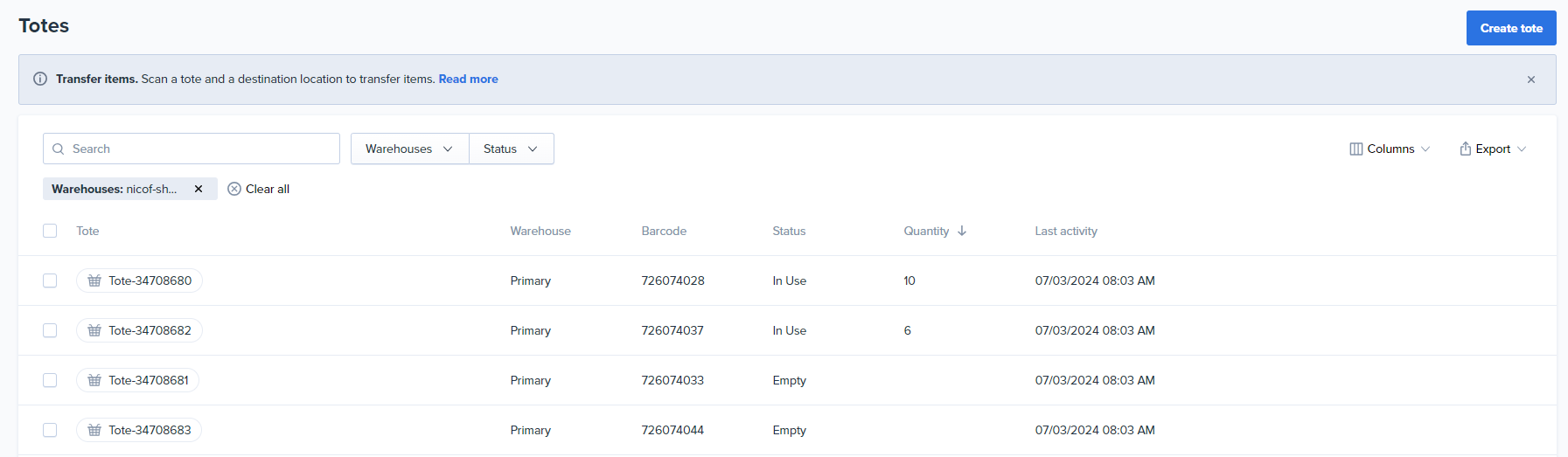
**Bulk Actions:** Print barcodes for multiple totes, clear contents, or delete totes in bulk.
**PDF Barcode Printing:** Generate tote barcodes in a convenient PDF format for easy printing.
**Up-to-date Information:** Gain instant insights with the displayed last activity time/date and current unit count for each tote.
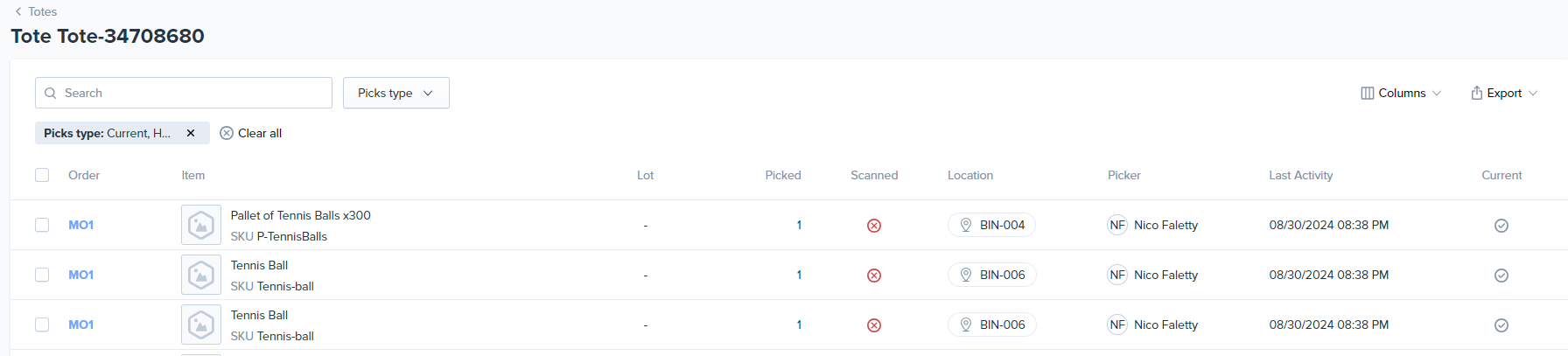
**Historical Data:** Dive deeper into tote movements with the tote detail page showcasing the last 50 picks associated with each tote.
*Tote List*
*Tote Details*
**New Tote Permissions**
Benefit from improved security measures with granular permission controls:
*View:* View the page, perform transfers, print barcodes, and export data.
*Create:* Create new totes.
*Edit:* Change tote names and clear tote contents.
*Delete:* Delete totes.
Please review your role permissions and manually add the necessary permissions to grant users the appropriate access to tote-related functions. We believe these enhancements will provide a more secure and flexible experience for managing your totes.
We believe this revamped Totes page will significantly improve your efficiency in managing tote inventory and movements. Enjoy the simplified workflow and enhanced visibility!
August 5, 2024


