
.svg)

Guesswork is gone with ShipHero's New Putaway feature! Available on our Mobile app for our dynamic slotting, SaaS clients, Putaway gives you the ability to create workflows around putting items away. Scan the item, the location or a case to get the process started. For more details on Putaway and how it works, watch our guided walkthrough video here.
00:06 Host: Hello everyone and welcome to another episode of ShipHero Future Walkthroughs. I'm joined today by Yosef, our superior VP of Products. So how are you today, Yosef? 00:14 Yosef: Doing well, Dan. How are you? 00:17 Host: Awesome, yeah, I'm good. I'm good. So today, Yosef would walk us through a great ShipHero feature. Put it away, that's right. 00:30 Yosef: That's right. It's a new feature just coming out. So excited to walk you through it. Yeah. So Put Away is a new feature for the mobile app, and what it allows you to do is build a workflow around putting inventory away. So whereas right now, you may take inventory from your receiving location or where it is in storage and just do inventory transfers, this allows you to build a list of what needs to be put away and it walks you through putting that inventory away. So as you'll see, we'll show you what needs to be replenished, where else that inventory might be now, and it makes that process a lot easier and more accurate. 01:18 Host: So we can just jump into the mobile app and I'll kind of show you how that works. One thing to note is that this is for dynamic slotting only. So if you're on a static slotting account, this wouldn't be a feature available to you. If you do want to switch to dynamic slotting, you reach out to us and we can help walk through that process. Good to know. So as you can see on the mobile app, there's a new option in the product section called Put Away. And when I go there, I have my Put Away screen. And to start a Put Away, I need to scan something, and that can either be a location that has products in it or an individual product. 02:18 Yosef: So to take an example, I'm going to scan a receiving location. And you can see there's three products in that location currently. So it's added those three products. I have my scarf, my gloves, and my hats. It has the quantity in that location, so that's what's currently in receiving. And it shows me other information. So notice that first one, scarf, it says I need to replenish that, that replen tag. And that three that you see on the right side, that's how many I need to replenish. So this is telling me right away that this product needs to be put in the picking location. So whereas maybe I'm going to put some away, my overstock, I need three replenished, those need to be picked. So it's telling you right away that at least three of those need to be put in a picking location. 04:21 Host: Now, from here, I can actually add other products as well. So once I scan one location, I can scan additional locations and add products. Or I can scan in the individual products. So for example, if I scan, I have a snow shovel, that'll add that to my list. Now, if that product is in multiple locations, it'll ask you where you're getting it from. And we'll look at that later as well. So once I have my list ready, you can see right now this list is in draft. That's on the upper left there. I can start my Put Away. And all I do is tap on the Start Put Away. And now it's taking me into that Put Away flow. 06:38 Yosef: Now, at this point, if I'm done Put Away for whatever reason, I don't want to put these away, I can incomplete. Everything is saved. So in other words, the ones I put away are put away. If I mark it as complete, the other two products that I didn't do yet will be taken off the list. And I can always start another Put Away to put those away. But what I've done is saved. That's not going to be lost. 08:23 Yosef: One thing to note that we're working on probably for early next year is a more guided Put Away where we'll actually suggest locations to put them. So for example, if you're receiving, you will use different rules and different criteria to say, "This should be put in location A, not location B," based on many different factors. We're still working out what that'll be based on and how that'll work. That's something we want to layer on top of this Put Away to actually make it more guided and suggest where to put the inventory. 09:10 Host: Awesome, awesome, Yosef. So thank you very much for your explanation. And to everyone, if you'd like to check out other feature walkthroughs, click on the top right corner right now. And if you're ready to unlock your eCommerce fulfillment superpowers, visit ShipHero.com to schedule a call with us. Thank you very much for watching, and everyone, have a great day. Have a great day, Yosef. Thank you. 09:17 [Music]
.webp)
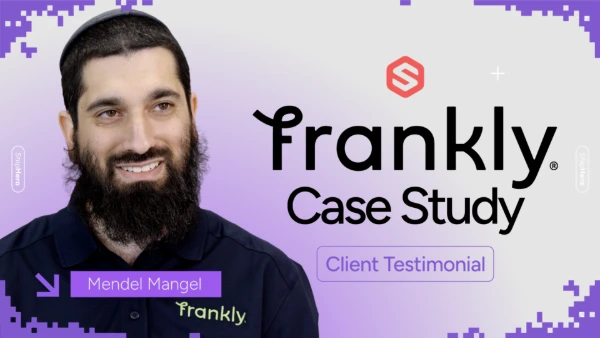
Frankly Fulfillment CEO Mendel Mangel once saw ShipHero as a competitor — until switching changed everything. Zero churn, 25,000 orders/month, and new staff onboarded in minutes. Watch the full story.
.svg)
.webp)
A new ShipHero case study with Mitch Mammoser, COO and Co-Founder of Frost Buddy, exploring how they managed a "rocket ship" growth trajectory to nearly $80 million in sales. Watch to learn why the believe "ShipHero is the Apple of shipping software."
.webp)
Meet the Packer Performance Dashboard, ShipHero’s latest feature that goes beyond simple pack rates. 📦 Tracks key packing events (Tote Scan, Item Scan, Print Label, Order Complete) 📈 Scores efficiency based on expected vs. actual pack time ⚡ Factors in order complexity & shipment type for real-world
.webp)
.svg)
.webp)
.webp)
.webp)
.webp)
.webp)



.svg)



.webp)