Why Warehouse Security Belongs on Your Daily Checklist
Warehouse security covers your building, your inventory, and the systems that track it. When one of those slips, you usually find out later, as a count that won't reconcile or an order that shipped short.
Break-ins are rare. The common problems are routine: a dock door left open over lunch, one scanner login shared across a shift, a cycle count that keeps getting pushed to next week. Retail shrink averaged 1.6% of sales in 2022, about $112.1 billion, according to the National Retail Federation. Theft made up nearly two-thirds of it. The other third came from causes like process and paperwork errors, which is where a checklist helps most.
A written checklist makes those checks part of the shift instead of something people get to when there's time. It spells out what to check, who checks it, and what to do when something doesn't match. If you already run a warehouse daily checklist, this post gives you the security section in full.
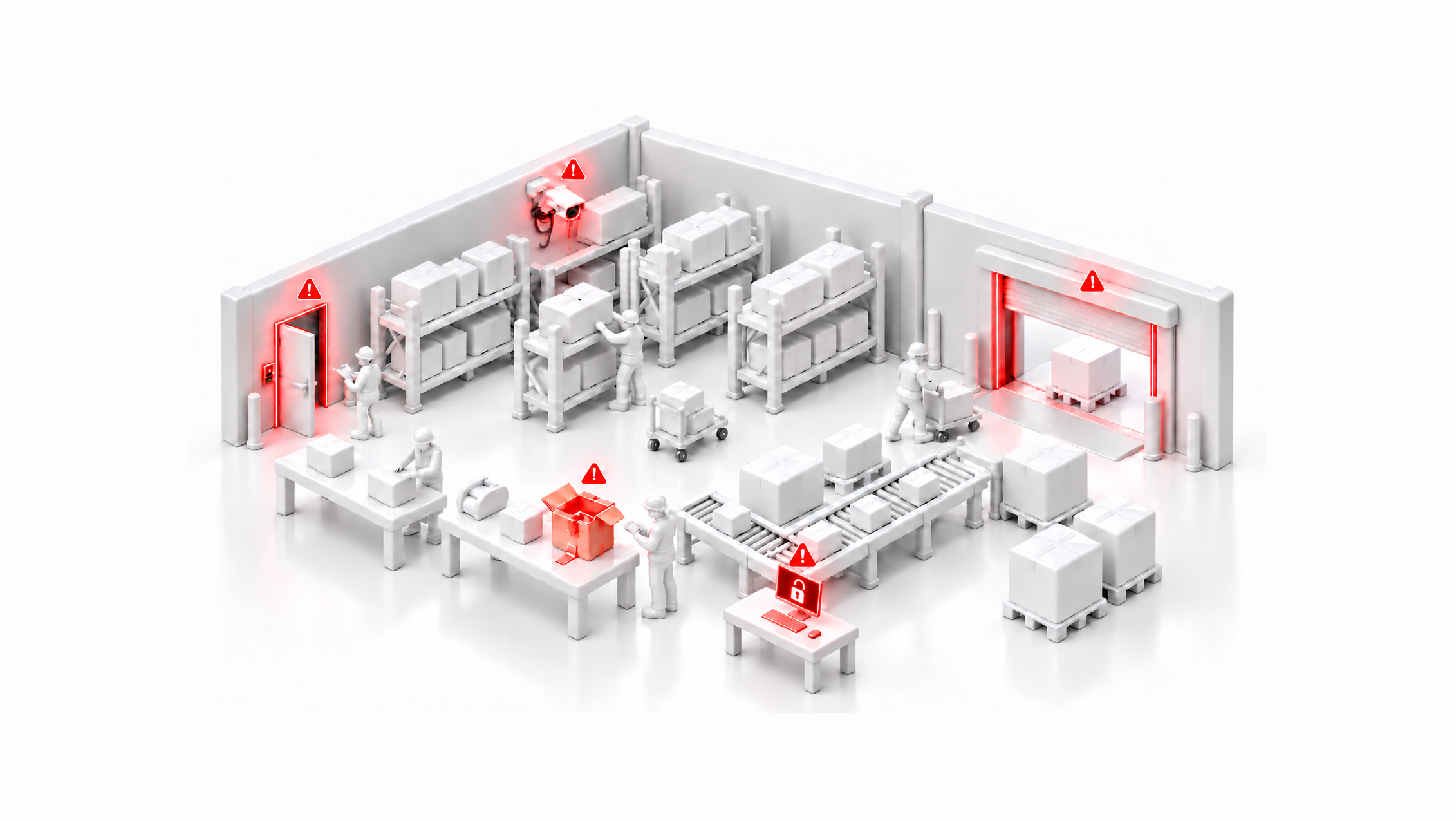
What a Warehouse Security Checklist Covers
Break the checklist into four areas and give each one a clear owner.
| Area | What it protects | Typical owner |
|---|
| Facility and access | Doors, docks, gates, cameras, alarms | Facility or operations manager |
| People and visitors | Who is on site and where they can go | Shift lead, front desk |
| Inventory | Stock accuracy, high-value SKUs, returns | Inventory manager |
| Data and systems | WMS accounts, devices, integrations | IT or ops admin |
Then sort the checks by how often they run. Daily checks catch problems while the shift that caused them is still on the floor. Weekly and monthly checks catch things that change slowly, like user accounts nobody cleaned up.
Daily Warehouse Security Checks
Run these at the start and end of every shift. Most are a quick look, not a project.
At opening:
- Doors, dock doors, and gates were locked overnight with no signs of forced entry
- Alarm system disarmed by an authorized person, with the event logged
- Cameras are recording and cover docks, entrances, and high-value storage
- Visitor log is ready, and badges or passes are accounted for
- Emergency exits are clear and not propped open
During the shift:
- Dock doors stay closed when no trailer is being loaded or unloaded
- Inbound shipments are checked against the purchase order before putaway
- High-value SKUs stay in their secured zone, with access limited to assigned staff
- Scanners and workstations are not left logged in and unattended
- Exceptions such as damaged cartons or count mismatches are logged, not set aside
At closing:
- All doors, docks, and gates are locked and checked by a second person
- Staged outbound orders are secured or loaded
- Scanners and devices are returned and charging in a secured area
- Alarm is set and the closing time is logged
Weekly and Monthly Security Checks
These take longer, so assign each one to a named person and put it on the calendar.
Weekly:
- Review camera footage for any flagged events or exceptions from the week
- Cycle count high-value and high-shrink SKUs
- Review returns and adjustments for unusual patterns by user or SKU
- Test door locks, dock seals, and perimeter lighting
- Check that visitor logs match badges issued and returned
Monthly:
- Audit WMS user accounts: remove departed staff and check that roles still fit each job
- Test the alarm system and confirm the monitoring contact list is current
- Rotate or reissue keys, codes, and badges where staff have changed
- Walk the facility for blind spots in camera coverage
- Review inventory variance trends and follow up on repeat offenders by location or SKU
- Refresh security training for new hires and anyone who missed a session
For a deeper review of processes and technology, pair these checks with a full warehouse audit.
Inventory Security: Controlling Shrink
Shrink is inventory you paid for and can't sell. Theft gets the attention, but miscounts, damage, and receiving errors add up too, and those are the easiest to fix.
Three habits make the biggest difference:
- Count often, not just once a year. Cycle counts on a rotating schedule catch variances while they are still small. See how to run one in our guide to conducting an inventory audit.
- Limit who can touch what. Store high-value SKUs in a secured zone. Give each user only the system permissions their job needs.
- Keep a trail. Every receipt, move, adjustment, and return should be tied to a user and a time. When counts are off, the trail shows where to look.
Some loss happens after the package leaves your building. If damage or porch theft is a problem, see how merchants protect packages from damage and theft.
Data and System Security for Your WMS
Your WMS holds customer addresses, order history, and the inventory record your operation runs on. Someone with the wrong login can change all three.
- Every person has their own login. No shared accounts on scanners, packing stations, or the office PC.
- Multi-factor authentication is turned on for every user who can change inventory, orders, or settings.
- Single sign-on is used where your team already has an identity provider, so offboarding happens in one place.
- Admin rights are limited to the few people who need them.
- Integrations and API keys are reviewed, and unused ones are revoked. Run integrations from a dedicated API user, not a person's login.
- Devices lock automatically when idle and are stored securely at closing.
When someone leaves, remove their access the same day, including any devices or integrations set up under their name.
Securing AI Access to Your Warehouse Data
More warehouse teams now ask an AI assistant things like "what's on hold?" or "how many of this SKU do we have?" Any AI tool connected to your WMS needs the same access controls you'd put on a person.
Problems usually come from how the tool is connected: an API key pasted into a prompt, full write access granted by default, or changes nobody reviews.
- Connect AI tools through an authorized sign-in, not an API key pasted into a chat or config file.
- Grant read-only access by default. Allow read-write only for tools and people you trust.
- Review changes an AI tool makes, the same way you review manual inventory adjustments.
- Revoke AI access when a project ends or a person leaves.
- Keep AI tools off sensitive data they do not need, such as customer personal information.
How ShipHero Supports Warehouse Security
Several of the checks above are built into ShipHero, so they happen as part of normal work.
- Platform security and compliance. ShipHero is SOC 2 Type 2 audited every year, is GDPR compliant, and runs a business continuity program. Controls and policies are published in the ShipHero Trust Center. See our security page for an overview.
- Account security. ShipHero supports multi-factor authentication and SAML2 single sign-on with your identity provider. MFA is adaptive: it prompts on suspicious logins and on sensitive actions like refunds.
- Roles and permissions. Admins set user roles and permissions that control what each person can see and change, such as a Picker role with no access to the order page.
- Warehouse access. In multi-warehouse accounts, you can limit which warehouses each user can access, so they only see that site's orders and inventory.
- A full audit trail. The Inventory Change Log records every stock change with the user, time, bin location, before and after counts, and the reason. Filter by user to investigate a loss.
- Accurate counts. Barcode scanning and cycle counting keep the system record close to what is on the shelf, so variances surface fast.
- Proof of what shipped. ParcelView captures a photo of each package's contents before it ships, which settles "it wasn't in the box" disputes.
Using AI with ShipHero
The ShipHero AI Toolkit lets your team query live ShipHero data from the AI assistant they already use, including Claude, ChatGPT, and any client that supports MCP. Here's how it lines up with the AI checklist above:
- No API keys in prompts. The ShipHero MCP connects through a ShipHero sign-in and authorization flow, so nobody pastes or manages tokens.
- You choose the access level. Each connection is granted read-only or read-write when it is set up. Reconnect to change it.
- Least privilege for advanced work. The Public API Skill lets an agent request only the scopes a task needs and leave out protected personal data, then revoke its token when the work is done.
- Changes stay on the record. Read-write actions run through the same ShipHero API, so they land in the same account your team already audits.
- Separate usage pool. AI Toolkit calls draw on their own credit pool, so testing AI doesn't use up the API capacity your integrations depend on.
For example, someone on your team can ask "Which orders have an address hold?" and get the answer from live data without running a report.
Want to see how it works in your warehouse? Speak with our team.
Key Takeaways
- Warehouse security covers four areas: facility access, people, inventory, and data.
- Daily checks at opening, during the shift, and at closing catch most everyday gaps.
- Weekly and monthly checks catch slow drift, like stale user accounts and rising variances.
- Frequent cycle counts, limited access, and a full activity trail do most of the work against shrink.
Frequently Asked Questions
How often should you run a warehouse security check?
Run short checks every shift, at opening and closing. Add weekly reviews of counts and footage, and a monthly audit of access, alarms, and user accounts.
Who should own the warehouse security checklist?
One person should own the checklist, usually the operations or facility manager. Assign each section to the shift lead, inventory manager, or admin who does the work.
What is the biggest warehouse security risk?
Everyday gaps cause more trouble than break-ins: shared logins, returns nobody inspects, and counts that only happen once a year.
Does a WMS improve warehouse security?
It helps. A WMS records who moved what and when, limits who can change records, and flags counts that don't match, so problems show up sooner.
Is it safe to connect AI tools to my WMS?
It can be. Connect through an authorized sign-in rather than a shared API key, start with read-only access, and remove access when the project ends.

.svg)

.svg)
.webp)

.svg)




.svg)



.webp)