
.svg)

Speed through a ton of orders with only one or two items by using ShipHero’s Single Item Batch picking. In this video, Product Manager Val will show you how quickly you can pick dozens of orders with just one or two items. SIB is especially helpful for warehouses with monthly subscription boxes, specialty merchandise drops or just a really popular product that sells a ton all at once.Increase your picking speed and accuracy when you use SIB with ShipHero. Watch now!
Hello, everyone. This is Val here at our West Palm Beach warehouse. We're going to take a look at single item batch picking today. Single Item Batch picking, is a little bit different than multi0item. So we have a video on multi-item batch picking which focuses on picking multiple orders with more than one item and each order is in its own tote. Now, single item batch picking is a little bit different. In this case, you're still picking multiple orders, but each order has one item, single item. But those items can be different. So we like to do because items can be of different sizes, is we'll get a cart, we'll have a bin here with our tote barcode. Smaller items could go into the bin and then anything that won’t fit goes onto the cart. But this is all going to be one tote and all of the items we pick for the various different orders will all be put on here. It's a little bit different than the multi item set up, but efficient when you're trying to pick a lot of orders with one item and just kind of get them out the door. All right, so let's start picking a single item batch. So we're going to do is we're going to go to our mobile device and you'll see here all single item batches. Well, you have two ways you can access this. You can go from the main screen. It's single item batch there. Or if you happen to be in the navigation bar, you also can access under the picking section. Either way is fine. You'll go to the same place at the end. So we'll hit single item batch and it's going to ask you to scan a tote. This could be any tote that you have that is currently not being used by other orders. We'll scan that in and it will load a single item batch. This will be a mix of items for orders with only one item. All right. So step one, it will tell us what location to go to and we're going to go pick some of these. So we need seven of the totes from this bin. So let's scan an item in, let’s make sure confirm we're picking the correct item. So we're going to scan in the barcode and it's going to tell me I need to pick six more. And once you're done, you can either hit, confirm or scanning the tote to confirm. All right. We confirmed that we picked seven of the first item and they are in our tote. So now we're going to move on to the next item. ShipHero will tell you which location to go to and once again, we're going to pick the first item and scan the barcode to confirm that it is correct. The app will tell you which tote to go to, and then you'll just place it in the tote and pick the rest of your items. So for our last one, I'm going to show you that you don't have to scan each one. Though we do consider this best practice in the event that a barcode is missing or an item is not barcoded. You can go on to your mobile device and click plus one, put that in your tote and then scan the tote to complete it. So we picked all of our items. We finished our batch. Now we will complete here. So we just finished picking a ton of orders in only a few minutes. That's one of the perks of single item batch picking. It is very fast and efficient to get orders picked quickly and over to the packing station so they can be shipped out. So let's go bring these orders over to our pack station and see what comes next. Thank you for watching.
.webp)
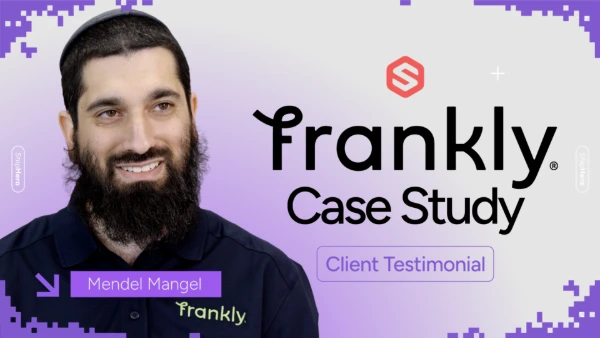
Frankly Fulfillment CEO Mendel Mangel once saw ShipHero as a competitor — until switching changed everything. Zero churn, 25,000 orders/month, and new staff onboarded in minutes. Watch the full story.
.svg)
.webp)
A new ShipHero case study with Mitch Mammoser, COO and Co-Founder of Frost Buddy, exploring how they managed a "rocket ship" growth trajectory to nearly $80 million in sales. Watch to learn why the believe "ShipHero is the Apple of shipping software."
.webp)
Meet the Packer Performance Dashboard, ShipHero’s latest feature that goes beyond simple pack rates. 📦 Tracks key packing events (Tote Scan, Item Scan, Print Label, Order Complete) 📈 Scores efficiency based on expected vs. actual pack time ⚡ Factors in order complexity & shipment type for real-world
.webp)
.svg)
.webp)
.webp)
.webp)
.webp)
.webp)



.svg)



.webp)