

ShipHero records billable work as your team does it: receiving, storage, picking, boxes, shipping labels, returns and special projects. Each client has its own rates and minimums, bills are created automatically, and clients can see them in the client portal. No spreadsheets at month end.
Every receipt, pick, box and label on the bill.
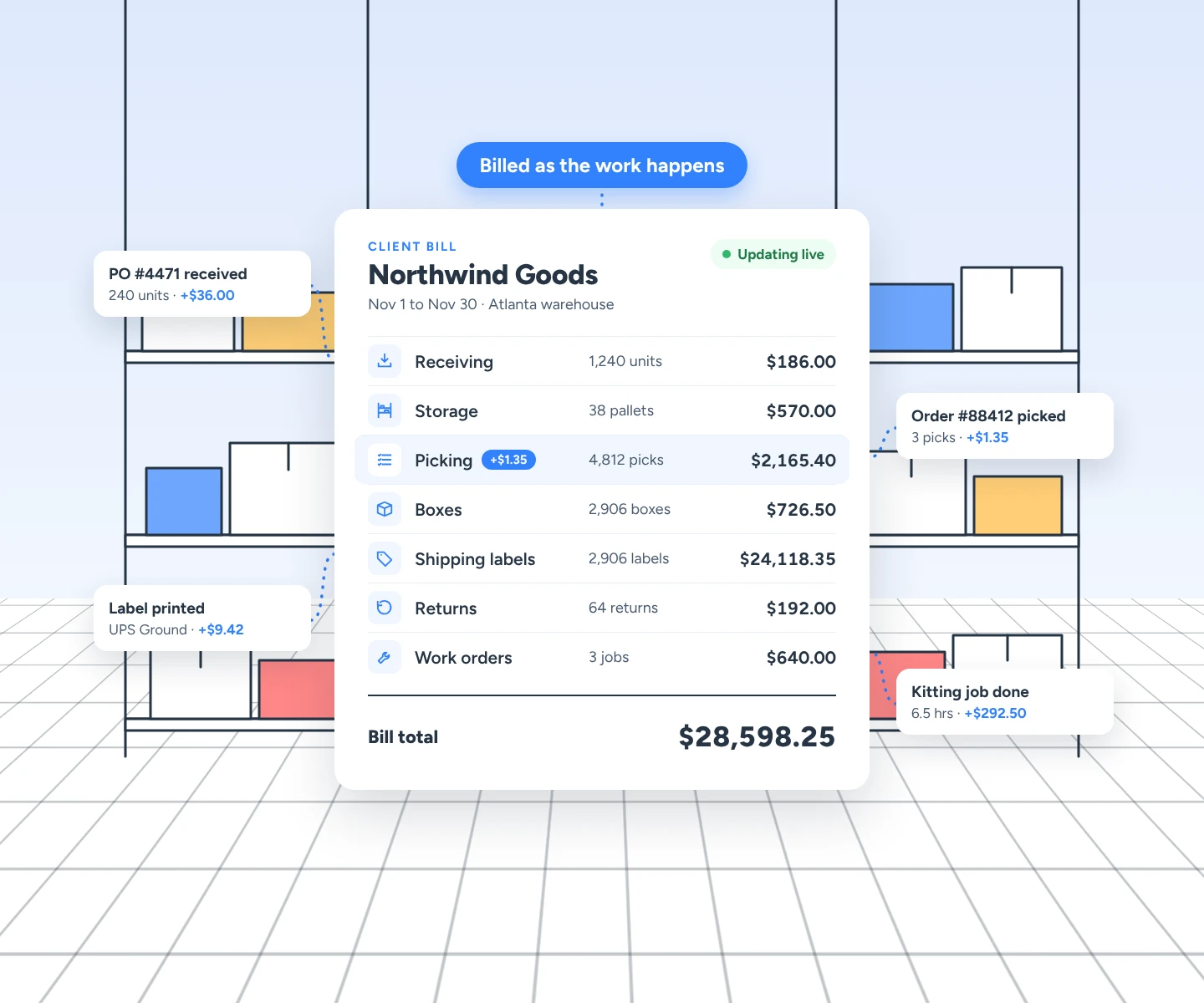
ShipHero has a rate for each stage of the work. Receiving is charged per purchase order or per unit. Storage is charged per pallet, per box, per occupied location or by product volume. Picking is charged per line item shipped, with one rate for the first pick and another for each pick after it.
Orders, boxes, shipping labels and returns each have their own fees. Extra work on an inbound shipment or a wholesale order is entered by the worker on desktop or mobile and billed as an accessorial charge. Recurring fees cover fixed charges, and kitting and special projects are billed through work orders, by hour, unit or order.
Storage by pallet, box, location or product volume
Accessorial charges entered on desktop or mobile
Recurring fees by day, week or month
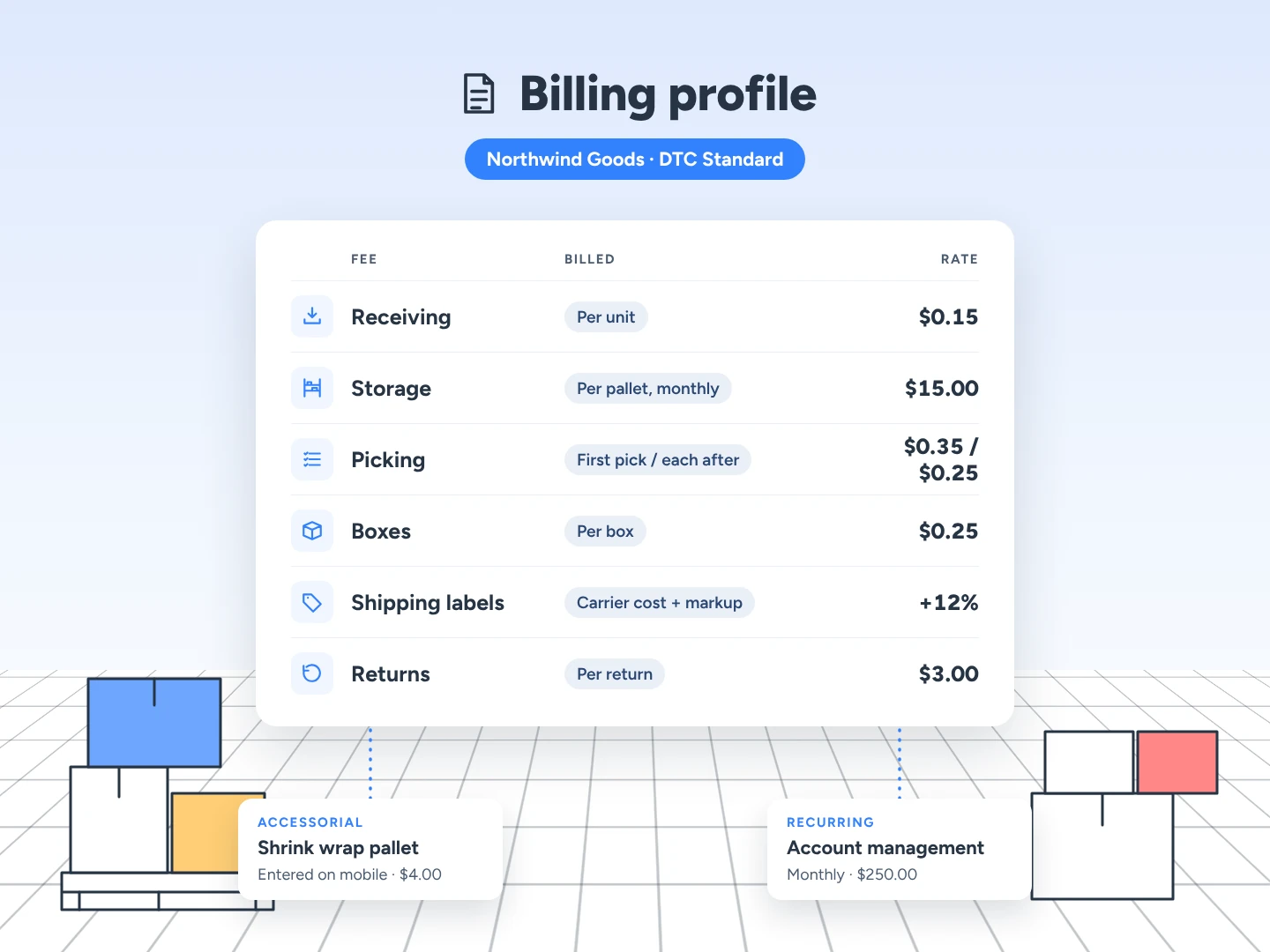
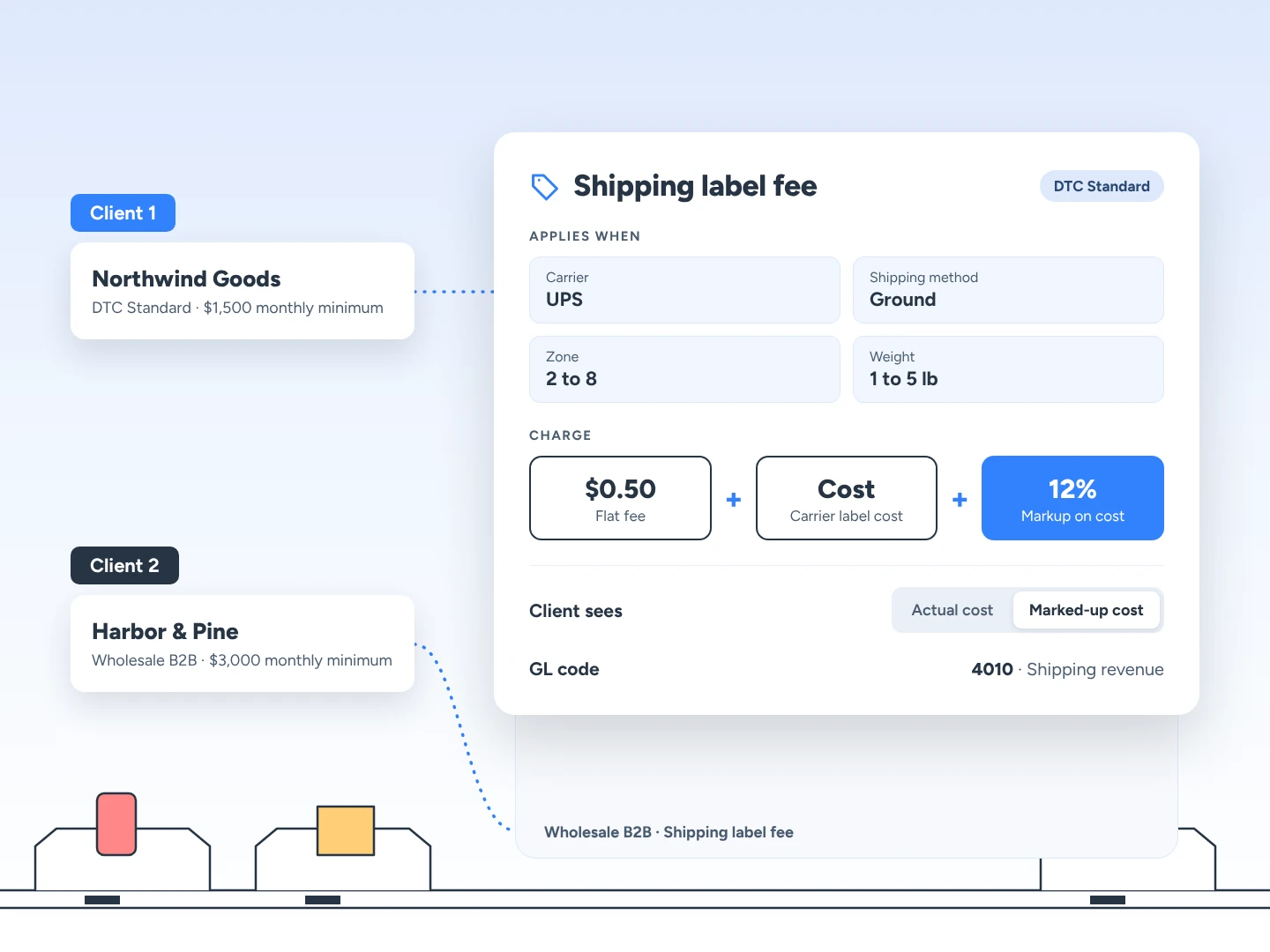
Build a rate template once, then assign it to each client and warehouse as that client's rate. Billing profiles group templates, so a new client can be set up in one step. Two clients on the same floor can be billed on different terms, each with its own minimum monthly charge.
Rates can follow what drives your costs. Shipping label fees can be set by carrier, shipping method, zone and weight, as a flat amount, the carrier's cost, a percentage markup, or a mix. You choose whether clients see the actual label cost or the marked-up cost. Each rate can carry a GL code that maps to a revenue account in your accounting system.
Rate templates assigned per client and warehouse
Minimum monthly charge per client
GL codes on every rate
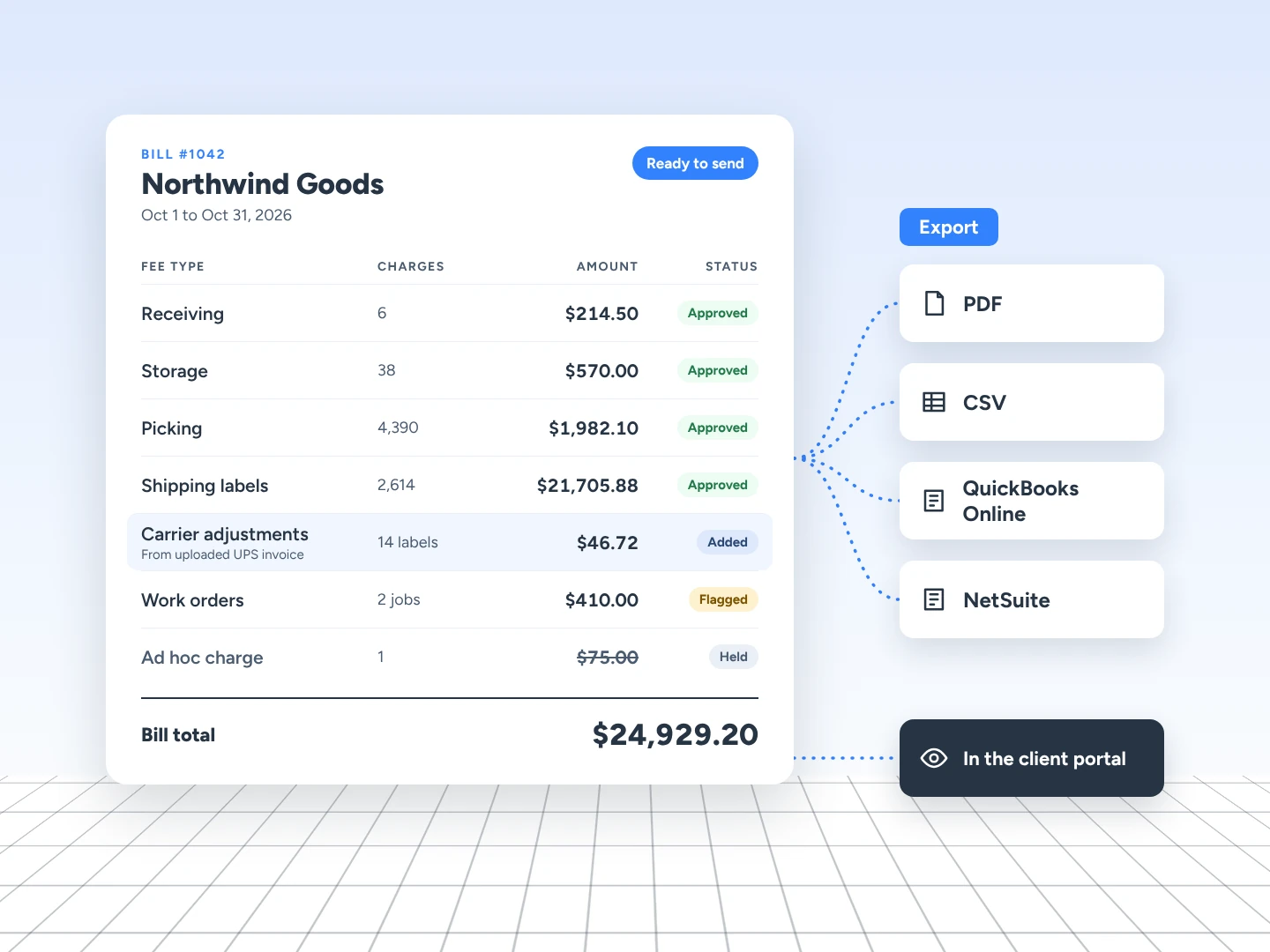
Charges are created automatically when the work is closed out. Review them before they go on a bill, flag any that need a second look, and hold back any that should not be invoiced. Bills are tallied on the schedule you set, and clients can see their bills in the client portal.
Bills export to PDF and CSV, and connect to QuickBooks Online and NetSuite. When a carrier invoice comes in, upload it and ShipHero compares it with the quoted label cost and adds the difference to the client's next bill. Billing is included in the ShipHero WMS for 3PLs on every plan.
Charges reviewed before they are invoiced
PDF and CSV bills, visible in the client portal
QuickBooks Online and NetSuite
Month end means rebuilding every client's invoice from spreadsheets and exports.
Charges are captured as the work is done, and bills are tallied automatically on your schedule.
Kitting, relabeling and other special projects get done but never reach the invoice.
Work orders bill by hour, unit or order, and the charges post when the job is marked done.
Carrier adjustments show up weeks later and come out of your margin.
Upload the carrier invoice and ShipHero adds the difference from the quoted cost to the client's next bill.

“Billing was a nightmare before. Now, it’s so much easier.”
Maire Rosa
Owner, ecomspaces
10x
daily order volume
5x
client list
1 week
from onboarding to shipping on ShipHero
Can't find your answer? Our team can walk you through your setup.
Talk to our team3PL billing software calculates what a third-party logistics provider charges each of its clients for the work done on their behalf, such as receiving, storage, picking, packaging, shipping and returns. In ShipHero it is part of the warehouse management system, so charges come from the work recorded on the floor.
ShipHero has rates for receiving, storage, picking, orders, boxes, shipping labels and returns. Accessorial charges cover extra work on inbound shipments and wholesale orders. Recurring fees cover fixed charges, and ad hoc charges and work orders cover one-off work and special projects.
Yes. Rates are assigned per client and warehouse from reusable templates, and billing profiles group them so a new client can be set up in one step. Each client can also have its own minimum monthly charge.
Four ways: per pallet, per box, per occupied location, or by product volume. Pallet and box storage can be billed from a scheduled count of what is on hand, or on the anniversary of each item's arrival.
Yes. A label fee can add a flat amount, the carrier's cost and a percentage markup on that cost. Fees can be set by carrier, shipping method, zone and weight. You choose whether clients see the actual cost or the marked-up cost.
Through work orders. A work order can be charged by hour, by unit or by order, with more than one charge per job, and the charges post when it is marked done. Hours tracked in WorkforceHero flow in automatically.
Yes. ShipHero connects 3PL billing to QuickBooks Online and NetSuite. Bills can also be exported as PDF or CSV files.
Yes. Clients can see their bills in the client portal, under your brand.
No. 3PL billing is included on every ShipHero plan. Plans start at $15,000 a year, and users, SKUs, warehouses and 3PL clients are never metered.